 Ultimate Mouse Lite
 Loading..

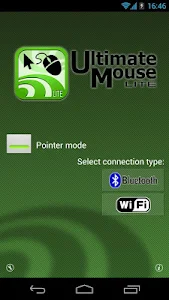

The BEST way to take control of your computer's mouse and keyboard
wirelessly through wifi or bluetooth. Install the Ultimate Control
Receiver program on your computer (PC Mac or Linux) and select it
from the list displayed on your phone.
In the "touch mode" the screen works as a touchpad. And thanks to the built in gestures you can scroll click by tapping or right-click performing a long press.
The "pointer mode" allows you to move your mouse by moving your phones in the air similar to the Wii remote. This option is only available for phones with gyroscope capabilities (nexus s galaxy S2 galaxy nexus optimus 2x...)
Enjoy the Ultimate Control experience!
*download the receiver program from "www.negusoft.com/ucontrol"
**This is the ad supported versión of the "Ultimate Mouse" app
In the "touch mode" the screen works as a touchpad. And thanks to the built in gestures you can scroll click by tapping or right-click performing a long press.
The "pointer mode" allows you to move your mouse by moving your phones in the air similar to the Wii remote. This option is only available for phones with gyroscope capabilities (nexus s galaxy S2 galaxy nexus optimus 2x...)
Enjoy the Ultimate Control experience!
*download the receiver program from "www.negusoft.com/ucontrol"
**This is the ad supported versión of the "Ultimate Mouse" app
Show More >
Ultimate Mouse Lite / What's New in vUnknown
- Updated UI


